Use Voice Commands with Primavera Cloud Mobile App
Use Siri and the Shortcuts app on your device to navigate the Primavera mobile app and perform common actions with voice commands.
Risk
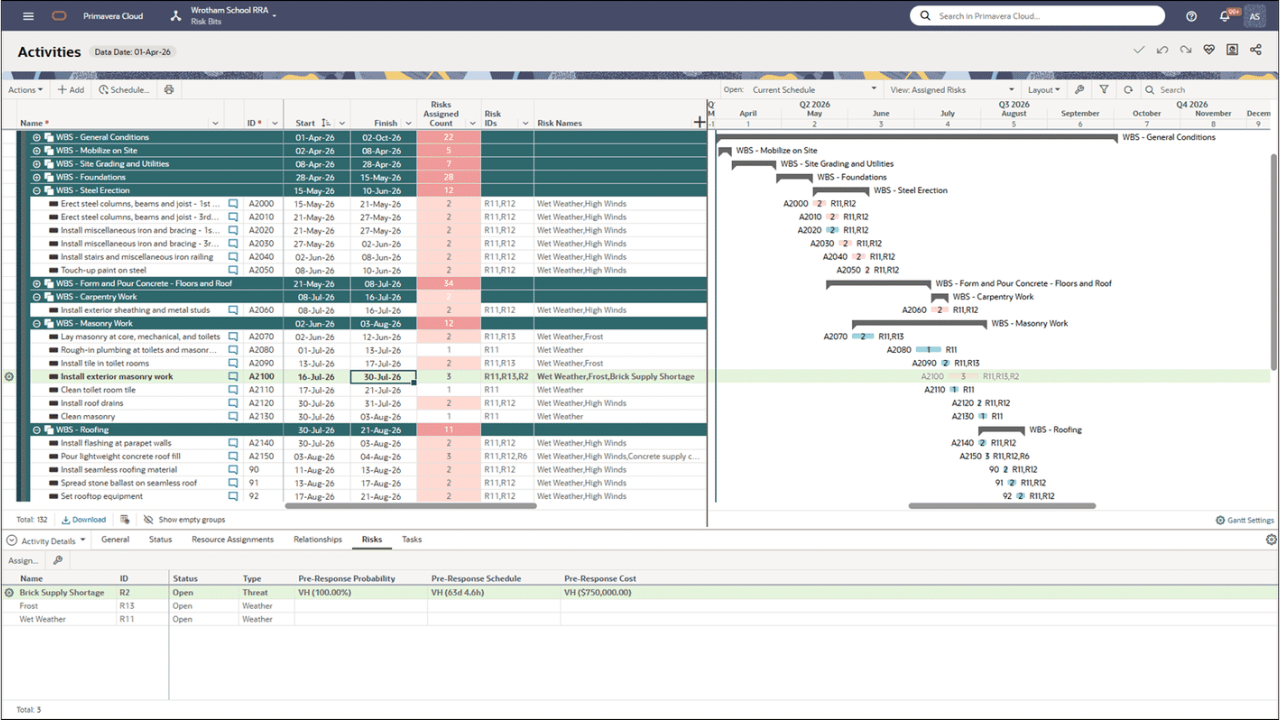
Customize Page Views with Integrated Schedule and Risk Data
Use new fields on the Activities and Risk Register pages to view integrated schedule and risk data. On the Activities page, track the risks assigned to activities by adding columns for Risk Names, Risk IDs, and Risk Assigned Count, as well as displaying these fields on the Gantt chart. On the Risk Register page, use the Impacted Activities and Impacted Activities Count columns to view and track the activities your risks are assigned to. You can also group and filter with these new fields on the Activities and Risk Register pages.
Administration
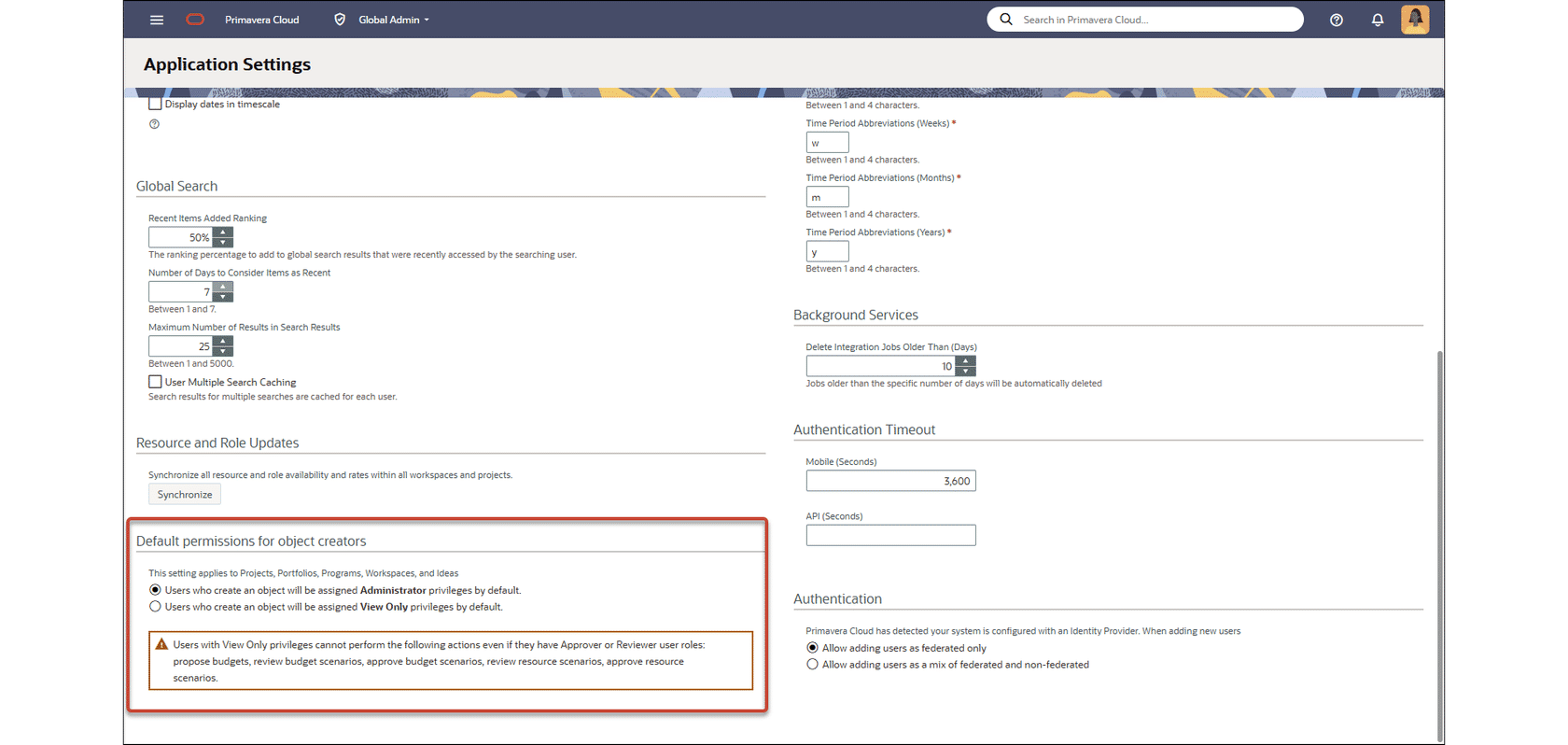
Set Default Permissions for the Creator of an Object, Such as a Project or Portfolio
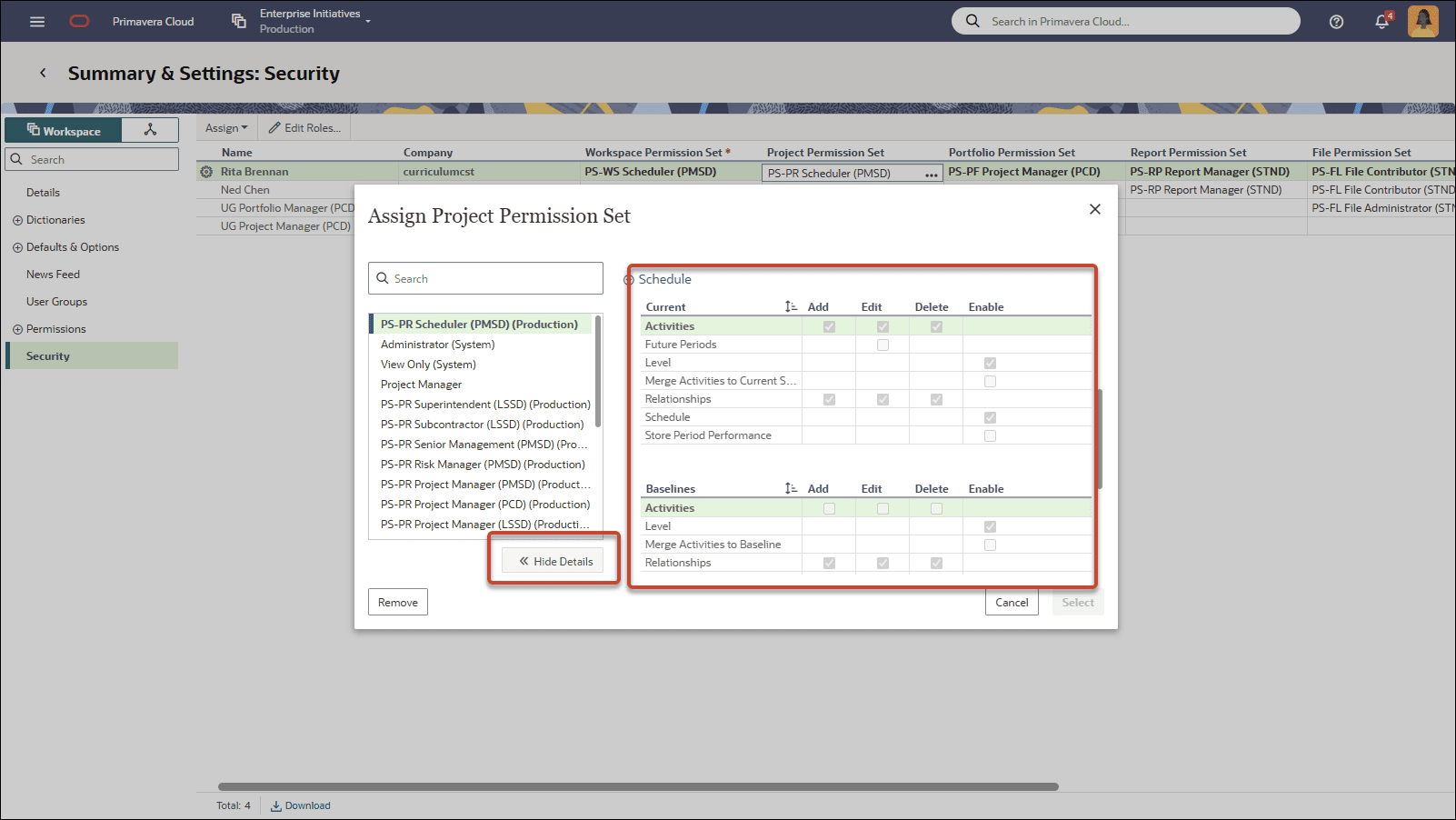
A new setting has been added to the Application Settings page in Global Admin to configure default permissions for object creators. This setting controls the default privileges granted to users for projects, portfolios, programs, workspaces, and ideas they create, and can be set to either Administrator or View Only. Note that when using the View Only setting, users will still be assigned privileges granted through workspaces, user groups, or other assignments.