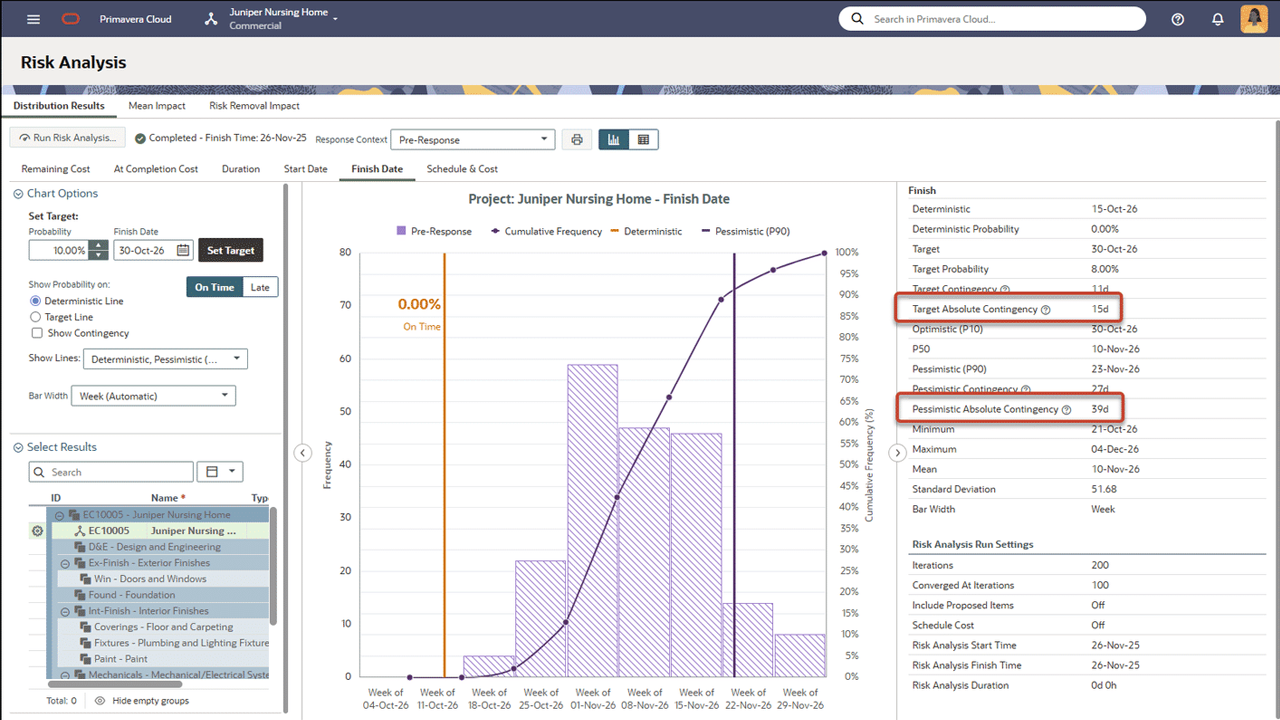
Use Absolute Contingency to Evaluate Risk Analysis Results
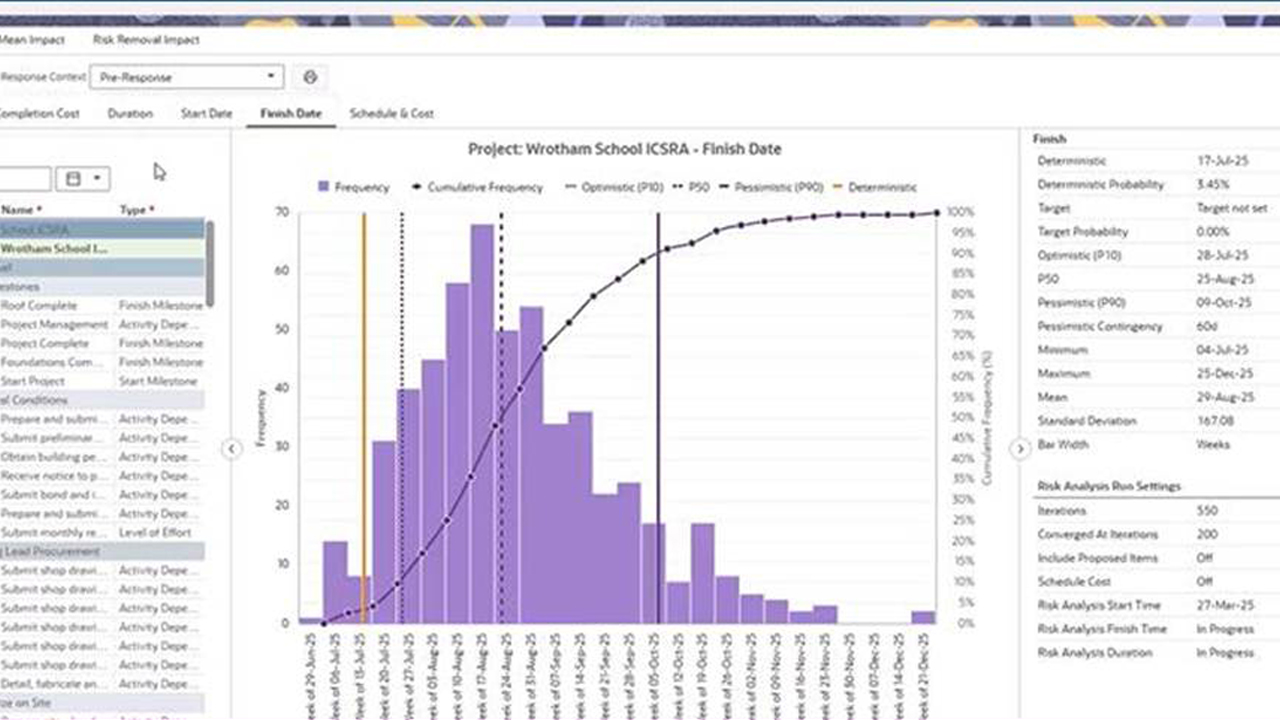
The Risk Analysis page now includes additional contingency calculations. The previously available Target Contingency and Pessimistic Contingency values are calculated using the project calendar. The new Target Absolute Contingency and Pessimistic Absolute Contingency values are calculated using a calendar with all working time.
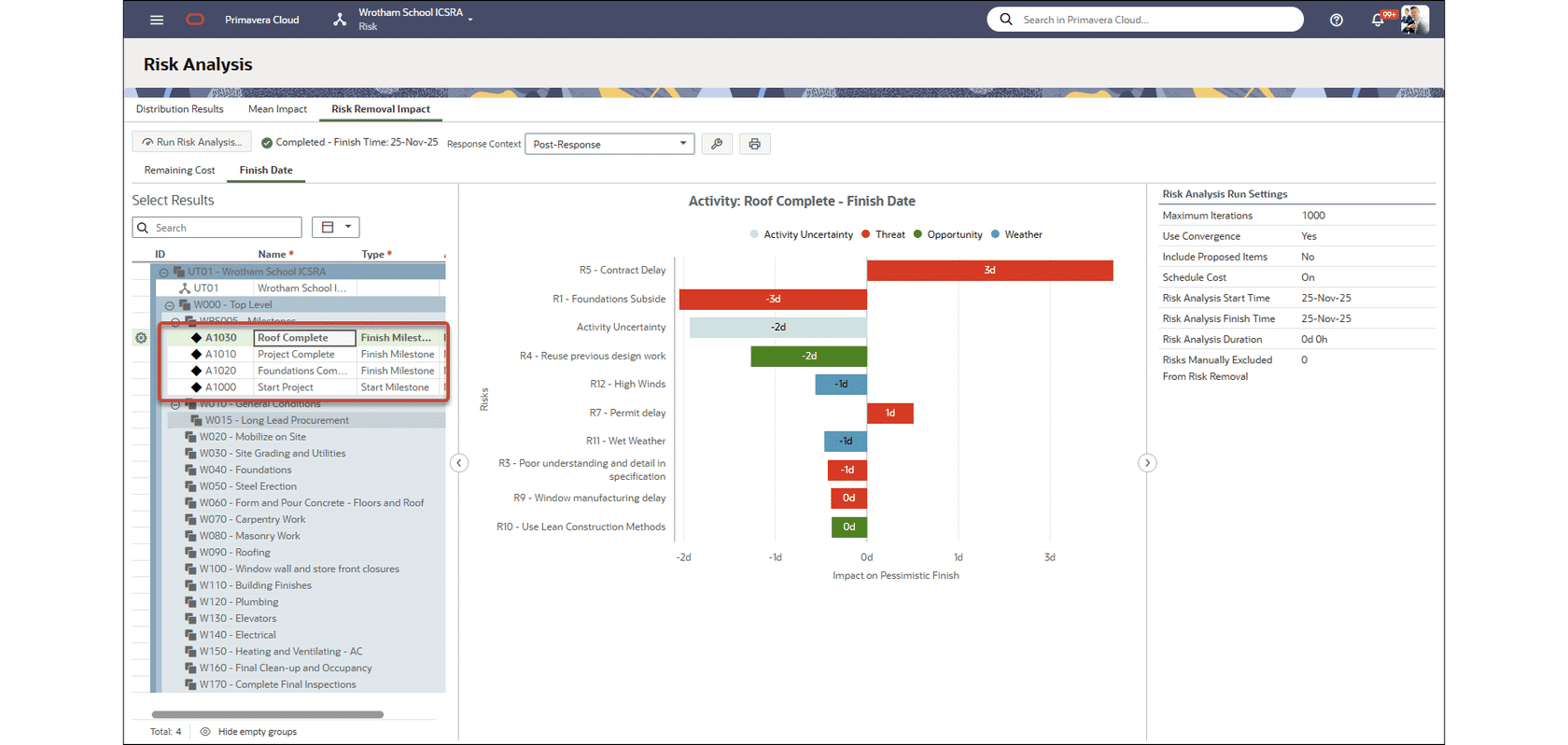
Evaluate Risk Removal Impact for Project Milestones
You can now use Risk Removal Impact to evaluate the effect of each risk on project milestones, such as the end of a project phase. In the Risk Analysis Settings, ensure Select Analysis Results includes milestones, and Risk Removal Impact Analysis is turned on. Then run a risk analysis and view the Risk Removal Impact graph. Select a milestone on the left to evaluate how each risk is affecting the milestone finish date.
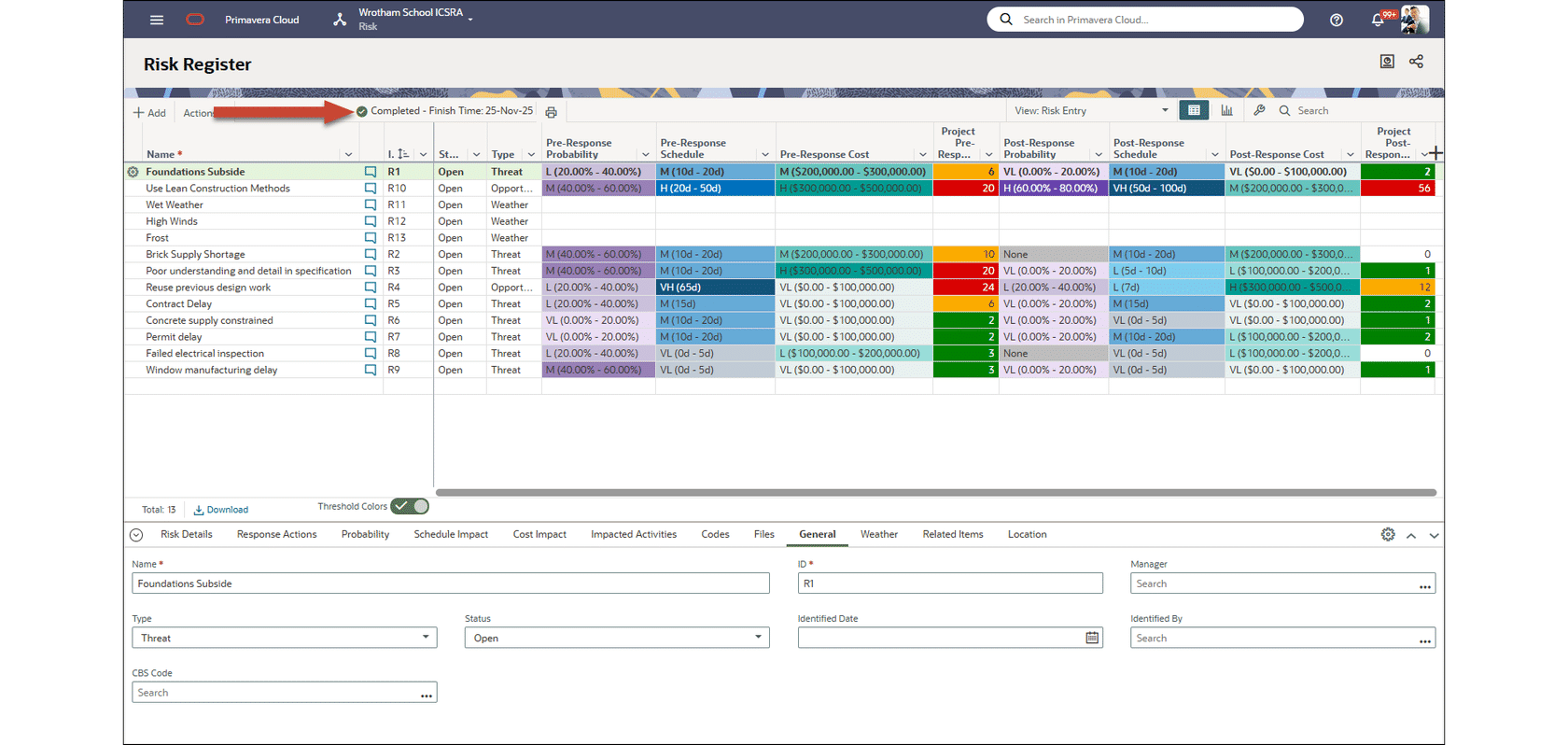
View Risk Analysis Status on Risk App Pages
It's no longer necessary to navigate to the Manage Services page to track a project's risk analysis status. View the status details at the top of all Risk pages. You can also add the Risk Analysis Status column to the Projects List page.
Enhanced Assign Impacted Activities Panel Available for Program Risks
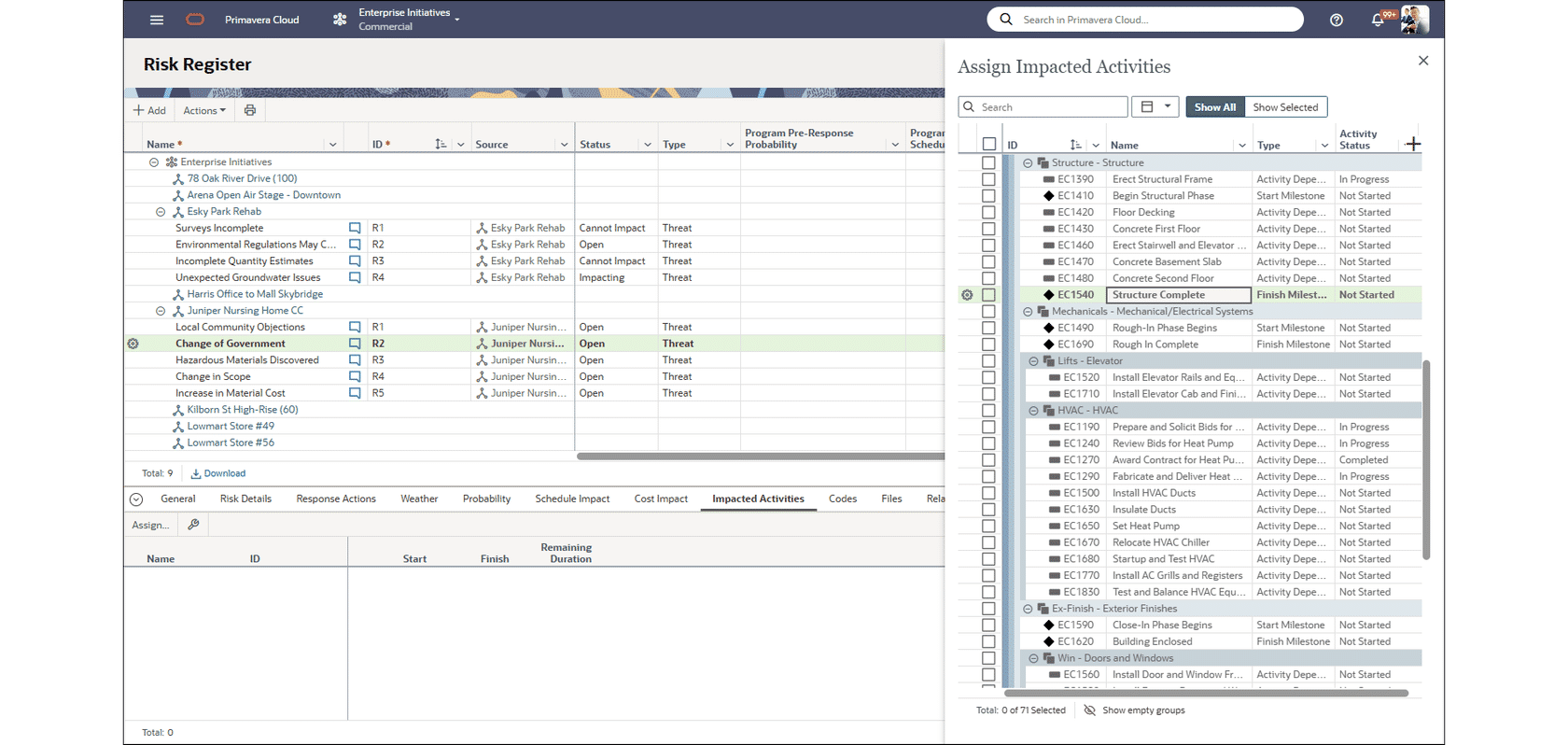
The Project Risk Register page was recently enhanced with a new Assign Impacted Activities panel, optimized with activity details, such as Status, to identify the correct activities to assign to the risk. This panel has been added to the Program Risk Register page.
Additional benefits include the ability to quickly add a column by clicking the plus sign, and a Column Menu with options to group and sort by that column. So, for example, you can add a column for an activity code, group by that column, and then quickly assign a risk to activities based on their assigned code value.
Workflows and Forms
Add Capital and Expense Cash Flows to a Project Proposal Workflow
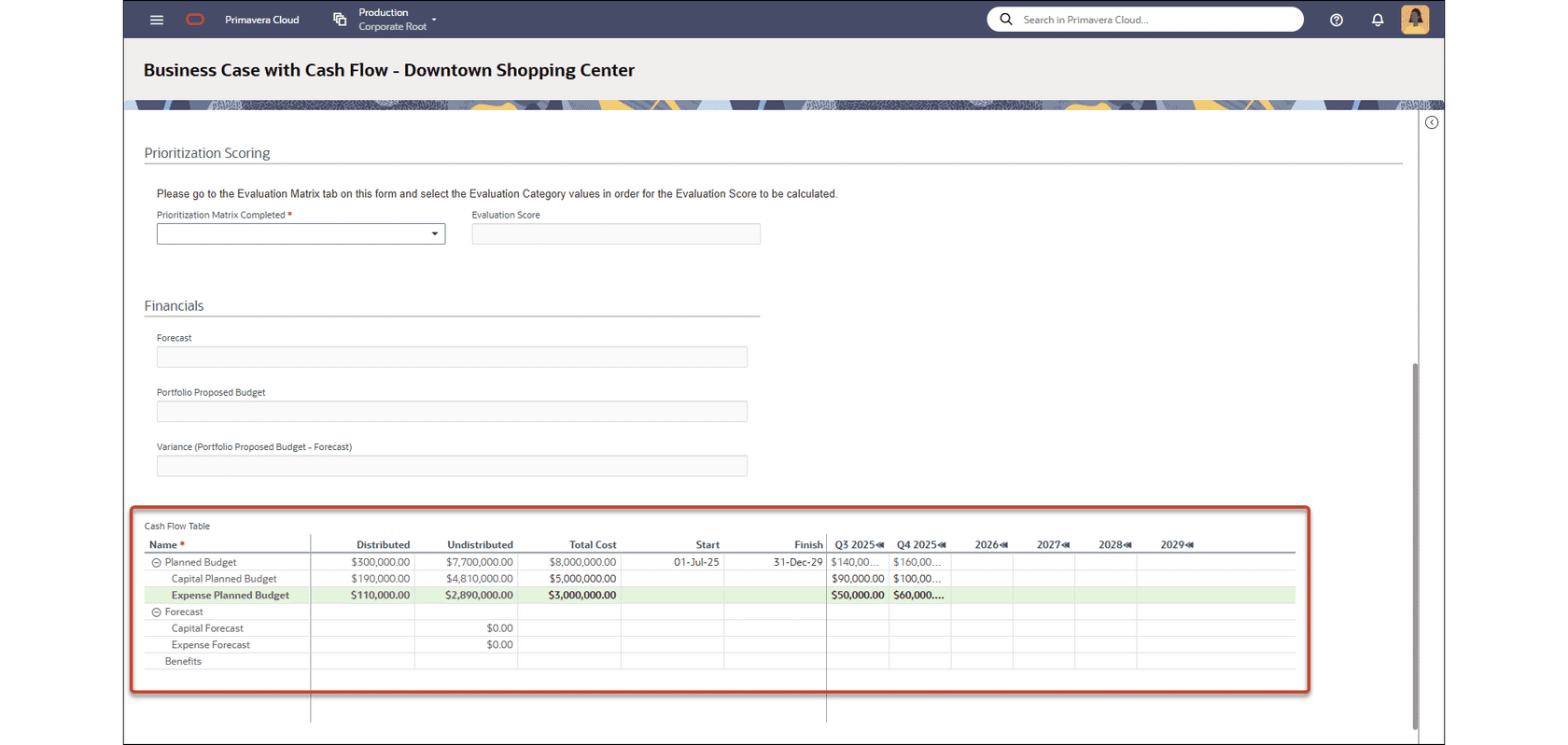
You can now enter capital and expense cash flows when proposing a project. In the Workspace Summary and Settings, ensure the Capital and Expense sub curves are enabled in the Project Cash Flow settings. Then add a Cash Flow table to the form used in the project proposal workflow.
Schedule
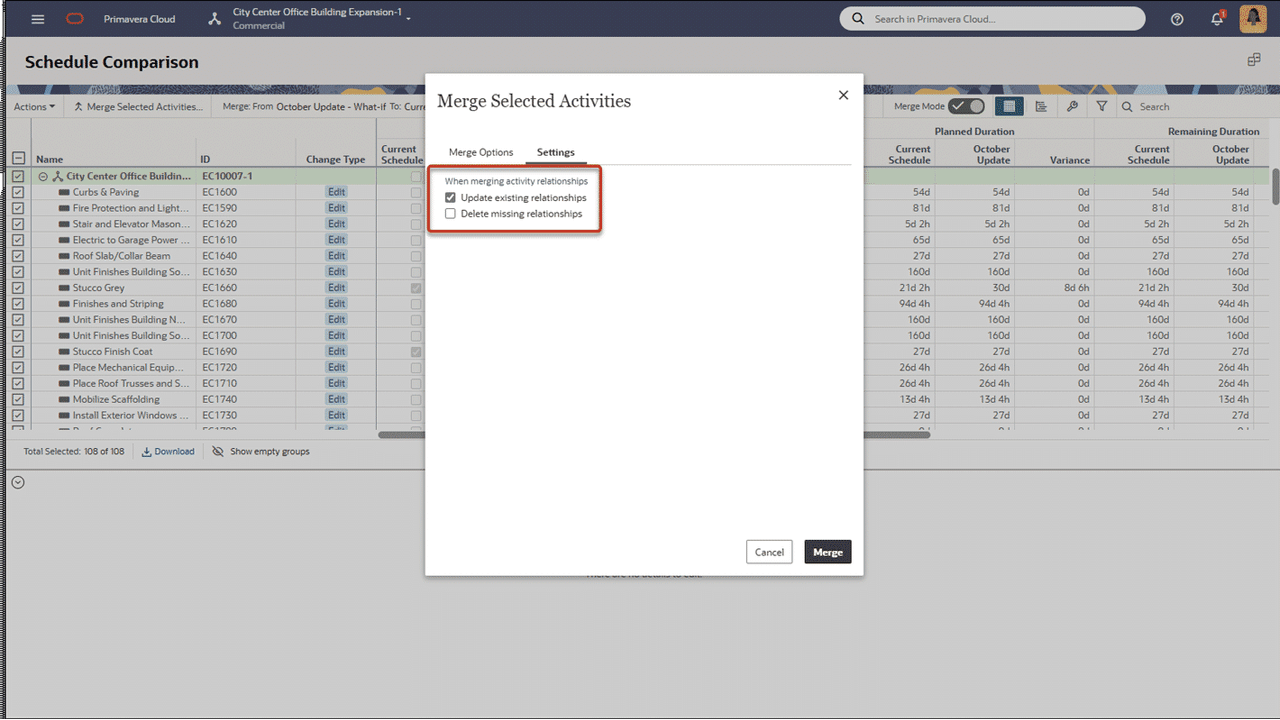
Control Internal and External Relationship Deletion when Merging Schedules
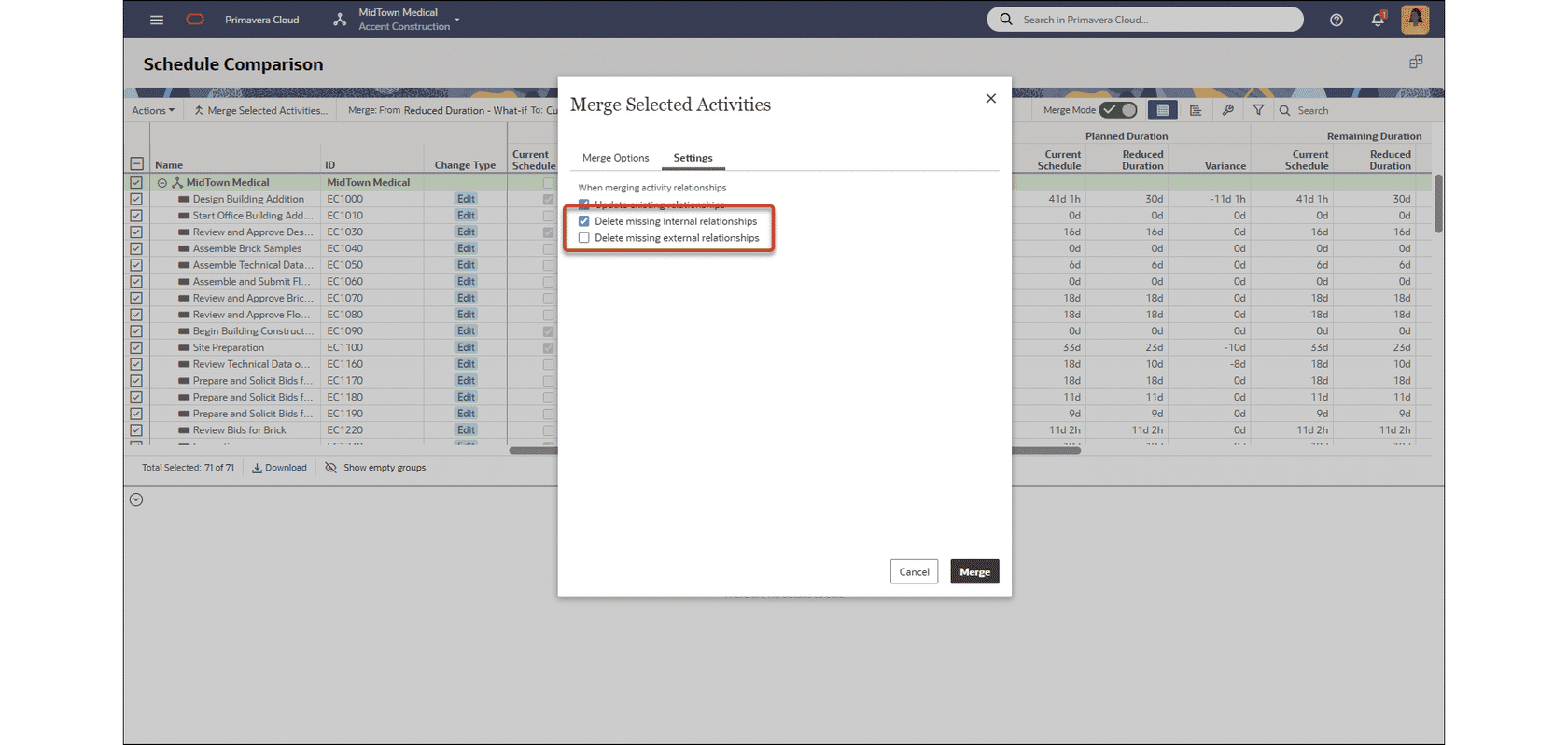
On the Schedule Comparison page in Schedule, you now have greater control over which missing relationships are deleted during the merge process. Previously, the Settings tab contained a single checkbox to delete missing relationship. This is expanded so you can delete missing internal relationships, missing external relationships, or both.
Additional Features
Learn More
Delete Inactive User Groups
On the User Groups page in Global Admin, simplify administration by deleting groups with no active assignments
Cash Flow Start and Finish Dates Improved for Project Current Actuals
On the Project Cash Flow page, the cash flow date calculations are improved when Actuals are set to Project Current Actuals. Previously, only the month of the first and last actual date were used to calculate the finish date. The day was set to the first of the month. Full dates are now used to calculate the cash flow start and finish, including the day of the month.
Enhanced Error Messaging When Attempting to Add a User Present in Another Company
The error message displayed when attempting to add a user who is already present in another company now includes the full company details, making the company easier to identify.
Add Cost Configured Fields and Primary Program to a Project Proposal Workflow
You can now add cost configured fields to a project form and include them in a project proposal workflow. The Primary Program field can also be added, and will allow any of your programs to be selected.
Use Rolling Dates in Chart Filters
When configuring a chart, you can now add filters based on rolling dates. For example, apply a filter for activities with an actual start less than one month before the current date. This feature is supported for the following Subject Areas: Activities, Projects, Resource Assignments, and Tasks.
Use Risk Response Data in Drill-Down Charts
Risk response data is now available to use when configuring drill-down charts. For example, add a chart to a project dashboard to display the project's top risks. Then drill-down to see risk response action details, such as dates and status.
Streamlined Project Current Actuals Configuration on the Project Cash Flow Page
In the Project Cash Flow Settings, when configuring Actuals to use Project Current Actuals, you can now select Confirmed Actuals or Scope Based Actuals as the Source. This negates the need to select the source on the Cost Sheet and configure a CBS. These settings can also be configured as the project default in the Workspace Summary and Settings.
Scaling Options Added to the Print Settings for the Work Plan Page
The Print settings for the Work Plan page in Tasks are enhanced with scaling options. For example, choose to auto scale, or fit to a set number of pages wide.
Field Mapping for Related Fields is Moved to the Forms Tab in Project Defaults and Options
The Field Mapping tab has been moved in Project Defaults and Options. When configuring related fields, use the Forms tab to set field mappings, as this feature is primarily related to Forms.
Portfolio Dashboards Now Include Data from Program Risks
Risk Portfolio dashboards now include data from risks added at the program level, in addition to project risks.